Keep every deadline in the light.
Lumos shows you where every client job stands, which deadline is closing in, and what to chase today. Accounts, tax, VAT, payroll and confirmation statements in one calm place.
overdue
Know what's due, who's on it and what's outstanding.
Real screens from Lumos CRM in development, shown with an example practice. The dashboard shows every job by service and stage, with annual fees and missing client information flagged.
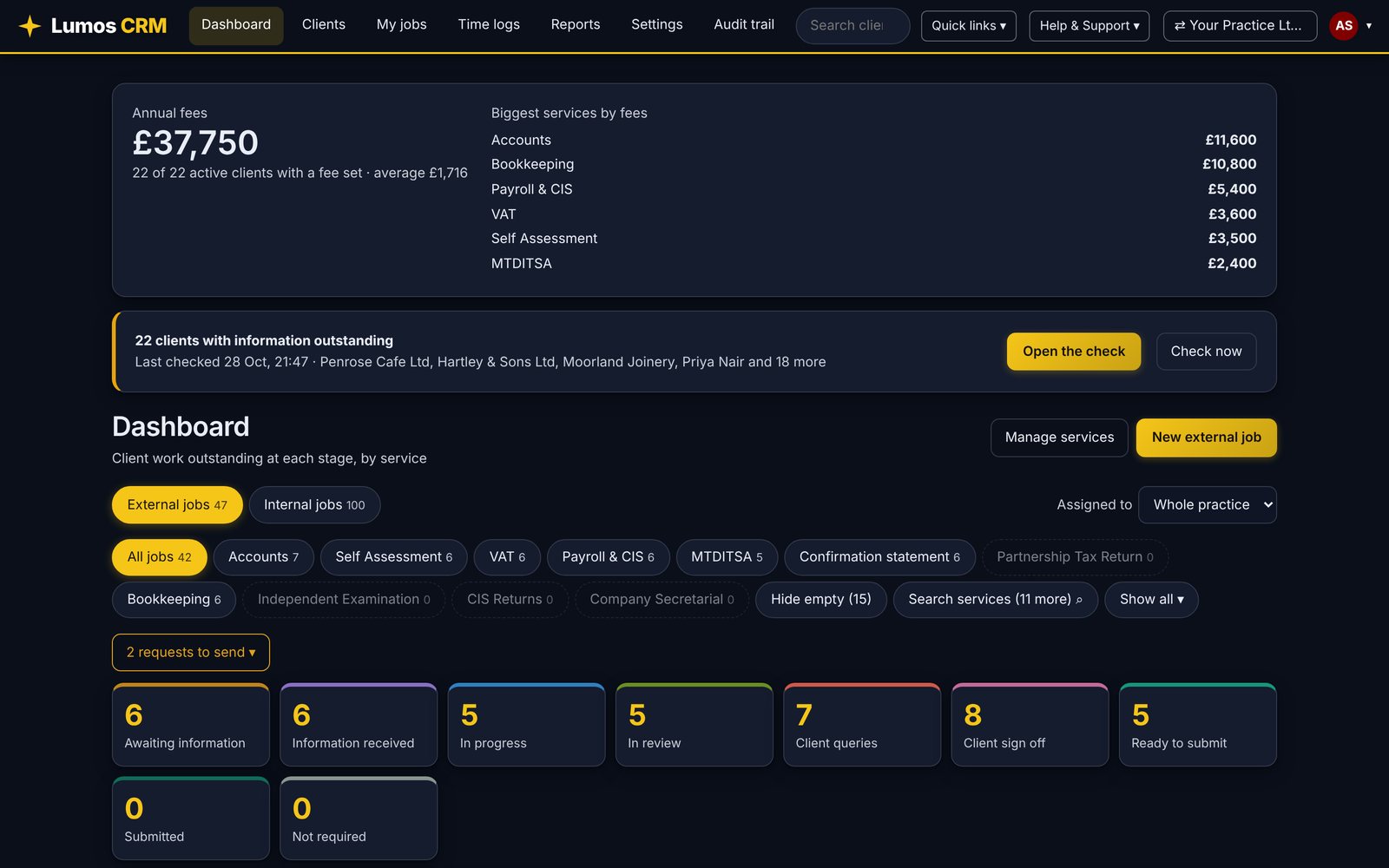
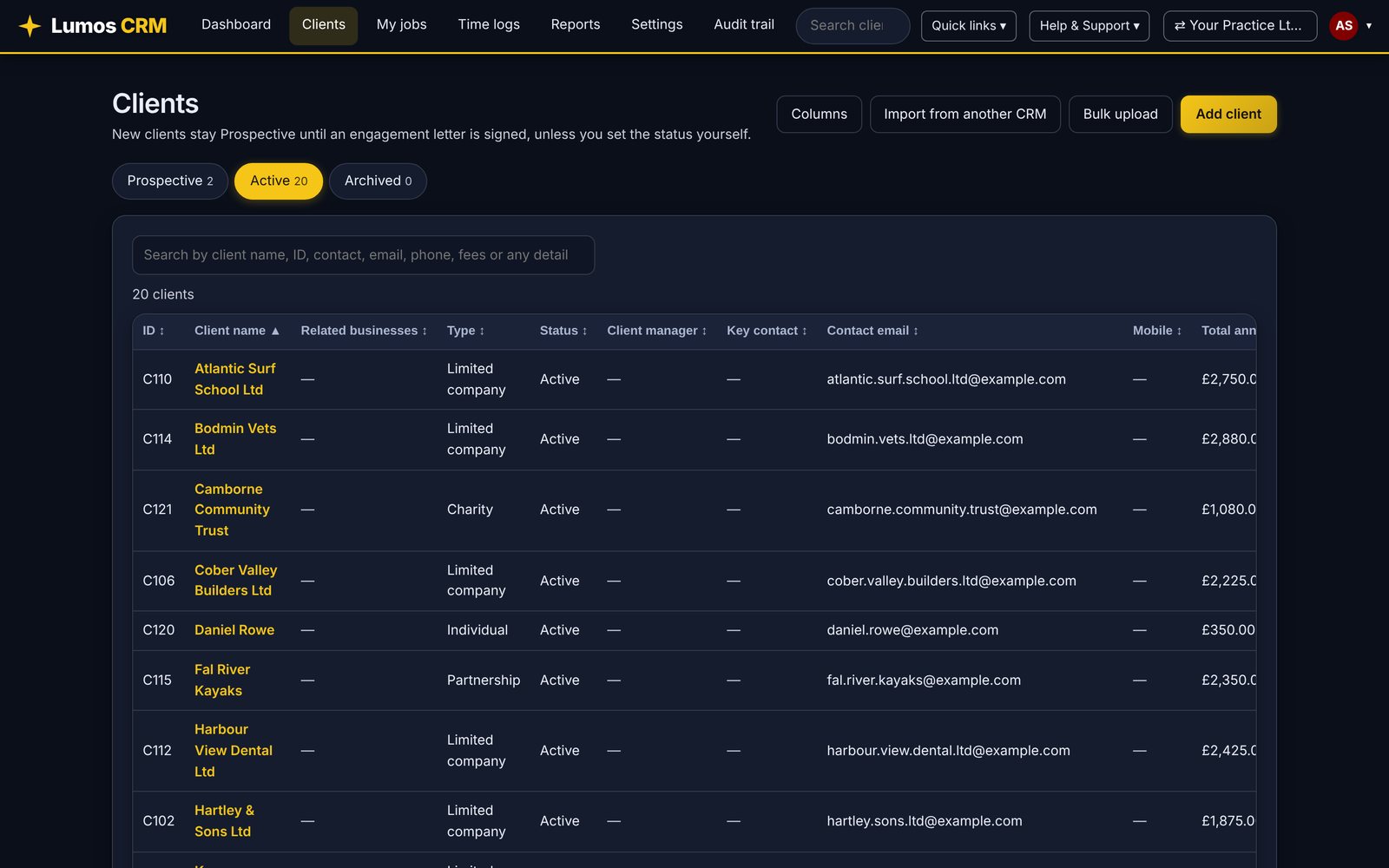
Many practices. One view. Their own brands.
Run two practices or twenty. Each one has its own clients, team, colours and letters, and you work in one at a time. Whenever you need the whole picture, open the All practices view and see every practice together in one place.
Brand each practice separately
Every practice gets its own colour palette, logo and letter branding. Clients only ever see the practice they deal with.
Work in one practice at a time
Choose your practice when you sign in, or switch from the top bar. Clients, jobs and teams stay separate.
See everything in one place
The All practices view collates clients, open and overdue jobs, fees and time across the whole group, with a line for each practice.
We tried the other CRMs. None showed us our practice.
Our founders have worked at a number of practices and experienced a number of different CRMs over the years. None of them gave us the detail or the view we needed to truly understand a practice: which jobs were stuck, which deadline was closing in, and where the time was going. So we built Lumos around the problems we kept hitting, from records that arrive late and two deadlines on every job to the same letter written again and again and several offices to keep in step.
“[Founder quote about why we built Lumos]”
[Founder name], [Qualification], [Practice name]
It speaks your language
Period ends, year ends, VAT staggers, pay schemes, confirmation statements and MTD quarters are built in, not bolted on.
It tracks two deadlines, not one
The date HMRC or Companies House sets, and the earlier date your team works to. Only a practice would ask for both.
You stay in control
Requests are prepared for you, and nothing goes to a client until you press send. That is how a careful practice works.
Two deadlines for every job. One colour to tell you which to chase.
Every job carries the deadline the authority sets and the earlier one your team works to. Lumos turns both into a traffic light, so the day starts with a list, not a hunt.
On track
Both deadlines are comfortably ahead. Nothing to do but keep moving the job through its stages.
Closing in
An internal or external deadline is inside the warning window you set for that service.
Overdue
A deadline has passed and the job is not closed. It rises to the top of every list it appears in.
A practice system that already knows the tax calendar.
Services that work out their own periods
Set a client's year end, VAT stagger, payroll frequency or tax year once. Lumos builds the upcoming periods and both deadlines for you, and you can move any single one when something changes.
Requests that write themselves
Information requests are prepared at the time you choose for each service, then chased on your schedule. You review and press send.
A client hub
Overview, references, terms, documents, AML checks, communication and time, all on one client record.
Time and internal work
Log time against clients, and run the practice's own jobs, from bookkeeping to CPD, on the same board.
A full audit trail
See who changed what and when, with roles that keep staff to their own work.
Every service, set up the way your practice works.
Stages, filters and timings belong to each service. Pick one to see how it can look.
Accounts jobs only appear for clients who have that type of accounts, and the internal deadline follows the default you set, such as 12 weeks after the period end.
Your logo on every letter. Your colours on every screen.
Add your own branding to engagement letters and emails, then use the colour palette tool to restyle the whole of Lumos in your practice colours. Start from a ready-made palette, then change any colour you like. It is fully customisable.
Try the palette toolAny colours you like. Your practice, your look.
Every colour in Lumos CRM can be changed: the accent, top bar, background, cards, buttons and text, with a colour fade, a solid colour or your own image behind every page. Use your exact brand colours, and Lumos keeps text and buttons readable for you. The real screens below are just a few examples. Each practice sets its own look in Settings, then Branding, and everyone in the practice sees it straight away.
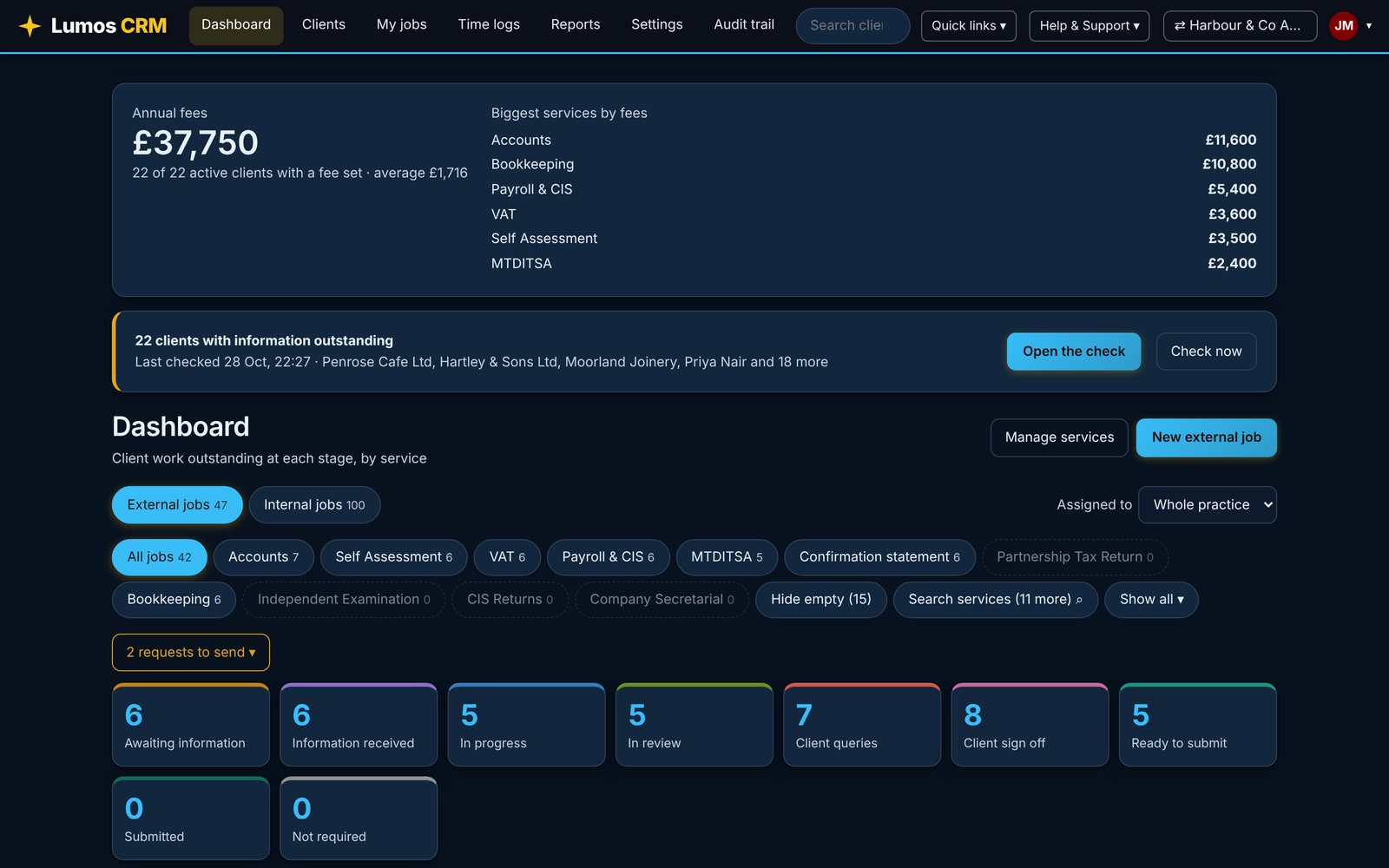
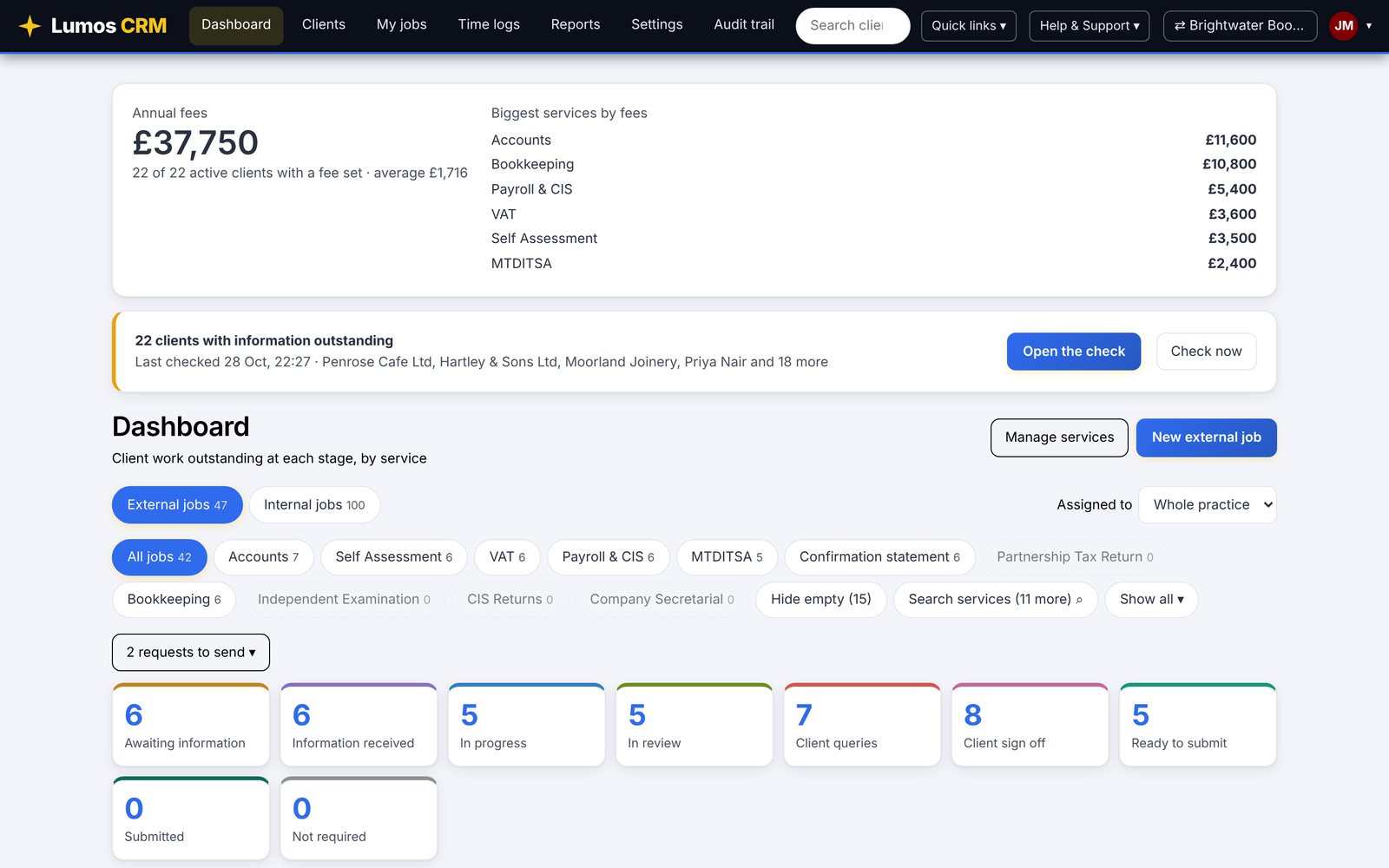
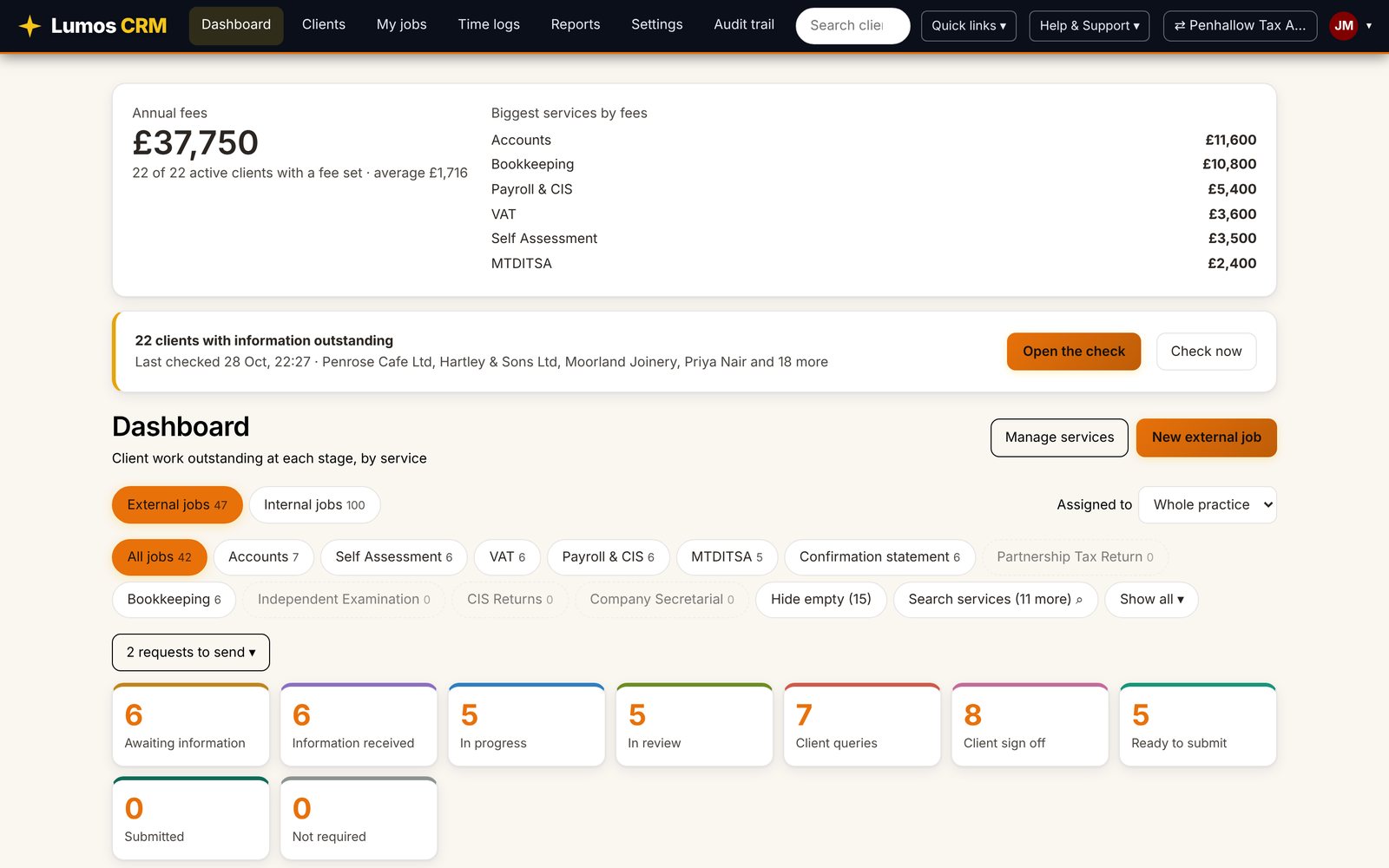
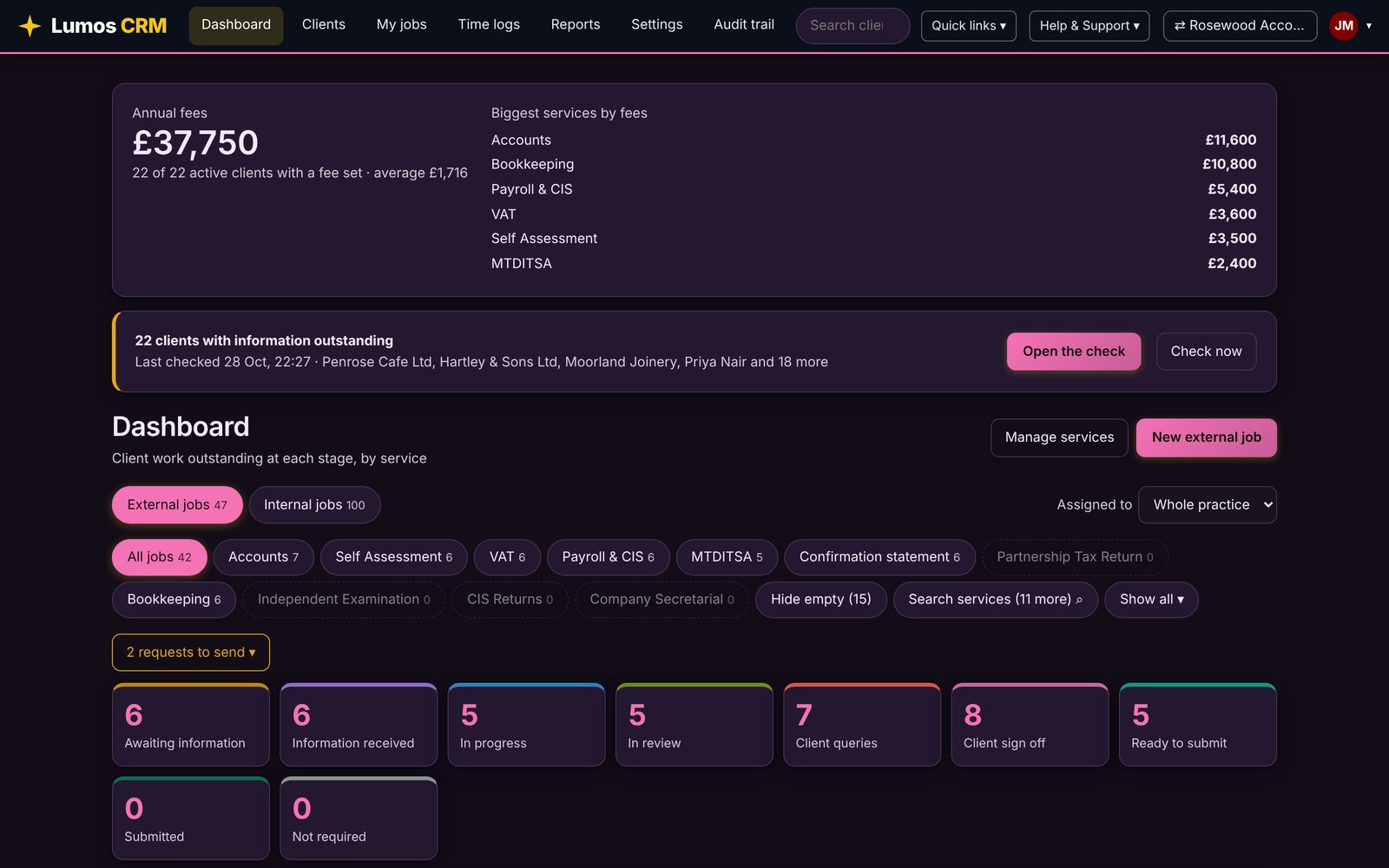
From first login to fully customised, with a certificate at every level.
Short training videos and an assessment at each level, so your whole team knows what Lumos can do. [Academy details to be confirmed]
Explore the AcademyGetting started
Find your way around and set up your first work.
Running your practice
Use Lumos day to day with confidence.
Customising Lumos
Make it work the way your practice does.
Lumos Wizard
Advanced skills for groups and larger practices.
[Headline about customers, to be written]
“[Customer quote about seeing every deadline at a glance]”
[Name], [Firm]
“[Customer quote about running several practices]”
[Name], [Firm]
“[Customer quote about switching to Lumos]”
[Name], [Firm]
Plans from £5 a month. Every feature included.
Pay for a block of clients and move up to the next block as you grow. Every user and every feature is included.
- ✦Unlimited users
- ✦Multi-practice set up for groups
- ✦Lumos Wizard Academy training
Up to 250 clients.
Prices shown are examples of block pricing. Final blocks and prices to be confirmed.
Three months free
Your first three months cost nothing. It is part of getting started, so you have time to move your clients across and train your team before the first invoice.
Migration and set up package
We move your clients across and set Lumos up for you: services, stages, templates, reminders and branding. Your team is ready on day one. [Package price to be confirmed]
Extra practices half price
Run more than one practice? Your first pays the normal price and every additional practice pays 50%. See how it adds up.
Answers before you ask.
Lumos is practice management software for accountants and bookkeepers. It tracks every client job by service and stage, works out the deadlines, and keeps your requests, documents, time and checks in one place.
Yes. You choose your practice when you sign in. Each practice keeps its own clients, team and branding, and you can copy or share your setup across the group.
Lumos prepares each request and its chasers on the schedule you set. Nothing is sent until you press send, and every send is logged.
Yes. Stages, filters, warning days and internal deadline defaults are set for each service in Settings, and any single client or period can be adjusted.
[Migration approach to be confirmed]
[Hosting and security details to be confirmed]
Bring your practice across without starting again.
Import clients from the system you use today. Lumos knows where each record came from, and there's a template for anything else. Prefer a hand? An optional migration and set-up package is available.
Be first to try Lumos CRM.
Lumos CRM is not available yet. Leave your email and we'll tell you as soon as it opens, with an early-access offer. Your first three months will be free.